
Overview:
We recently implemented an application on Power Platform for a consulting firm based out of Alpharetta, Georgia, United States. We came across a scenario to add the user to Office 365 Group using Power Automate. So, how can we achieve this requirement? Let's get started.
Step 1:
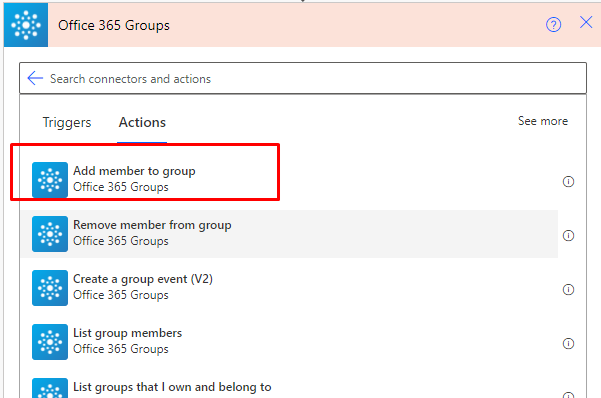
Create Power Automate flow and search for “Office 365 Groups”.

Step 2:
From, action choose “Add member to group”.
Step 3:
It will ask for following two parameters:
Group ID = It will show all groups available to your Office 365 account.
User Principal Name = We need to provide user name to be added to the group.

Step 4:
Run the Power Automate flow and check the result.
The user has been added to Office 365 Group.

Conclusion:
This is how we can simply add user to Office 365 groups! Happy Automation!
If you have any questions you can reach out our SharePoint Consulting team here.




